Set up Windows Server and Windows 10 Pro on virtual machines within Azure. Installed Active Directory on Windows Server and made it a domain controller. Set up various groups with users each having a different role (admin, regular and client). Configured group policies and had a user get locked out of their account. Viewed the failed log in attempts with logs in Event Viewer.
Network Security Groups (NSGs) and Inspecting Traffic Between Azure Virtual Machines
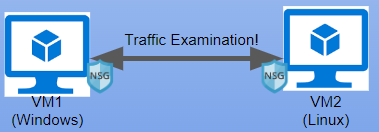
Deployed two Virtual Machines in Azure on the same virtual network (Windows 10 Pro and Ubuntu Server 22.04). Connected to Windows VM via RDP and installed Wireshark to view traffic coming through different ports via ICMP, SSH, DHCP, DNS and RDP.
osTicket - Prerequisites and Installation
Deployed a Windows 10 Pro Virtual Machine in Azure. Connected to the VM via RDP. Enabled Internet Information Services (IIS) with CGI support. Installed PHP Manager, URL rewrite module, extracted associated files to a PHP directory, installed Visual C++ Redistributable, installed MYSQL 5.5.62. Configured IIS to use PHP then configured the required PHP extensions and allowed permissions. Then installed HeidiSQL connected to the MYSQL server to view files on the back end. In web browser finished the installation set up of osTicket.
osTicket - Post-Install Configuration
After osTicket was installed I then created roles, departments and teams giving different users permissions. I set up two users to act as Agents and two other users as Clients. I then set up different SLAs for different grace periods and set up different ticket categories for different help topics.
osTicket - Ticket Lifecycle: Intake Through Resolution
After Agents and Clients were set up, I simulated mock tickets through the system changing the tickets help topics, set the appropriate SLA based on business impact, assigned an agent to the ticket and worked the ticket to completion.